SmartDrop is an AI-assisted eye drop device for older adults. I led UX from 0 to 1 — research, app design, and accessibility system — on a cross-functional hardware-software team.
A small daily task.
A surprisingly deep problem.
Problem
"I can't tell if the drop went in or not. I just hope for the best."
— participant interview, week 2
Over 80% of older adults who need eye drops struggle to self-administer them reliably. Hand tremors, poor vision, difficulty tilting the head — the mechanics work against them. The result: missed doses, wasted medication, and an estimated $67.52M lost annually to non-adherence and failed doses.
Existing assistive tools could position the bottle. None confirmed delivery. That single unaddressed moment — did it actually work? — was where the whole experience collapsed.
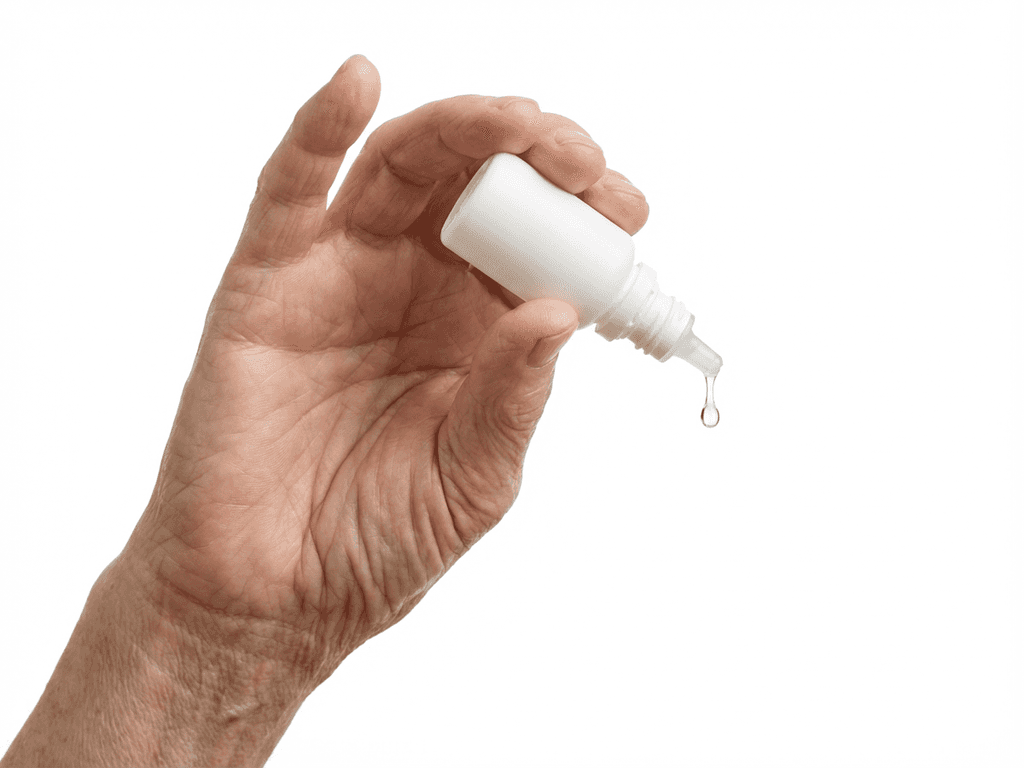
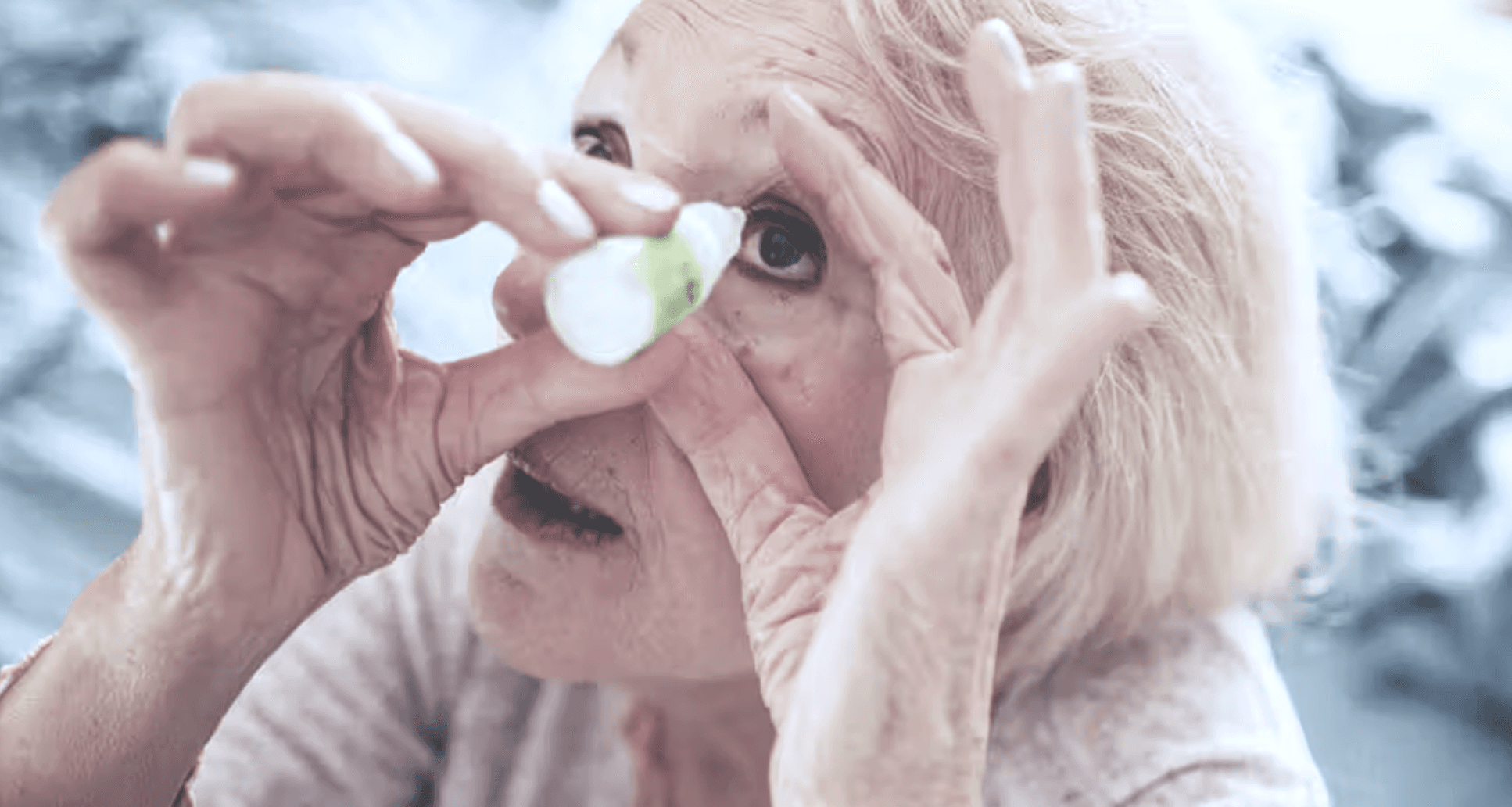

Head back, eyes closed, hands full.
Research
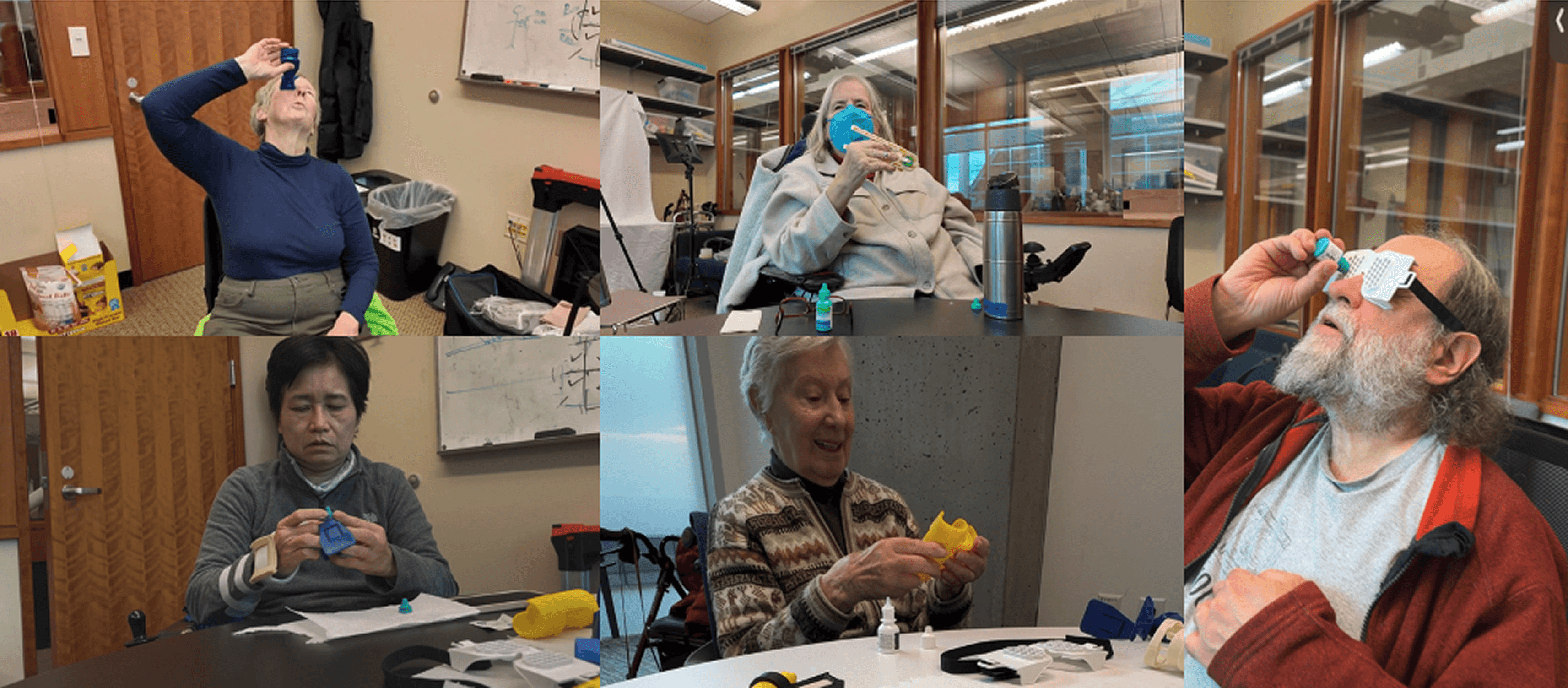
Before any interviews, we observed users attempting their actual routine — at home, in clinic, and in lab settings. Watching people perform the task in real context revealed things no survey would have surfaced: the specific positions they tried, where they lost confidence, what they did in the seconds after a miss.
We coded every session to find patterns across 16 mobility-impaired users and 8 expert interviews spanning ophthalmology, pharmacy, and occupational therapy.
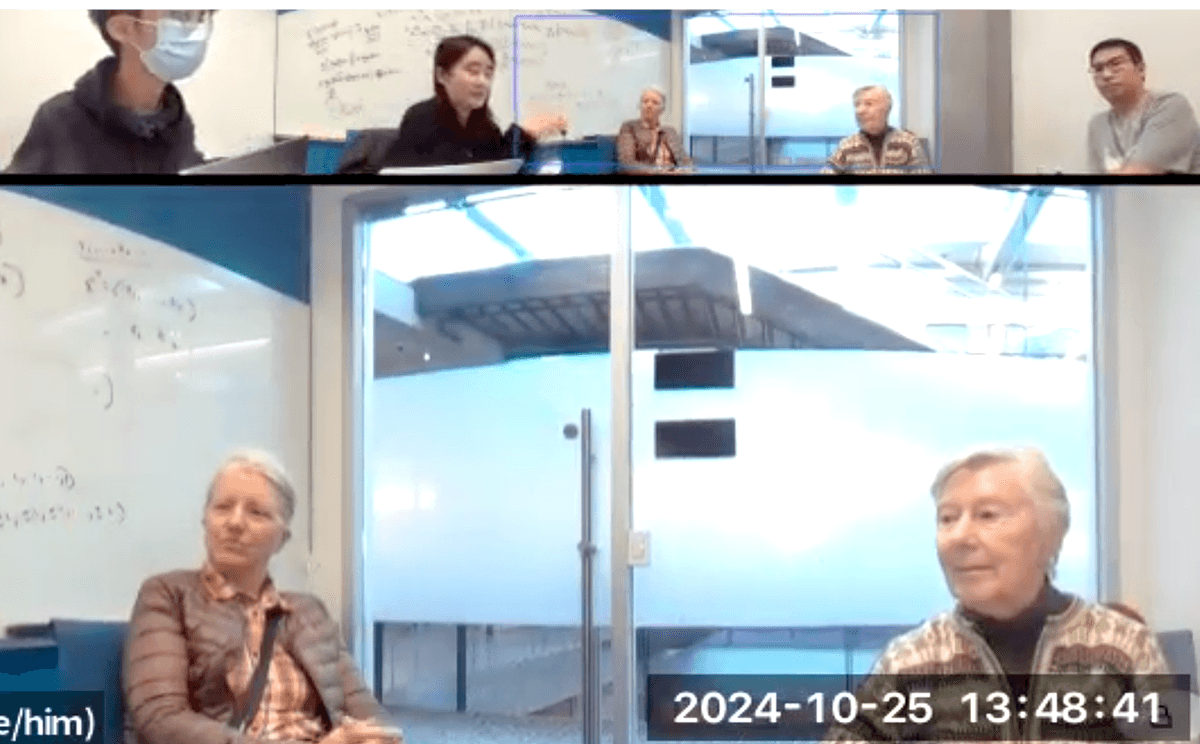
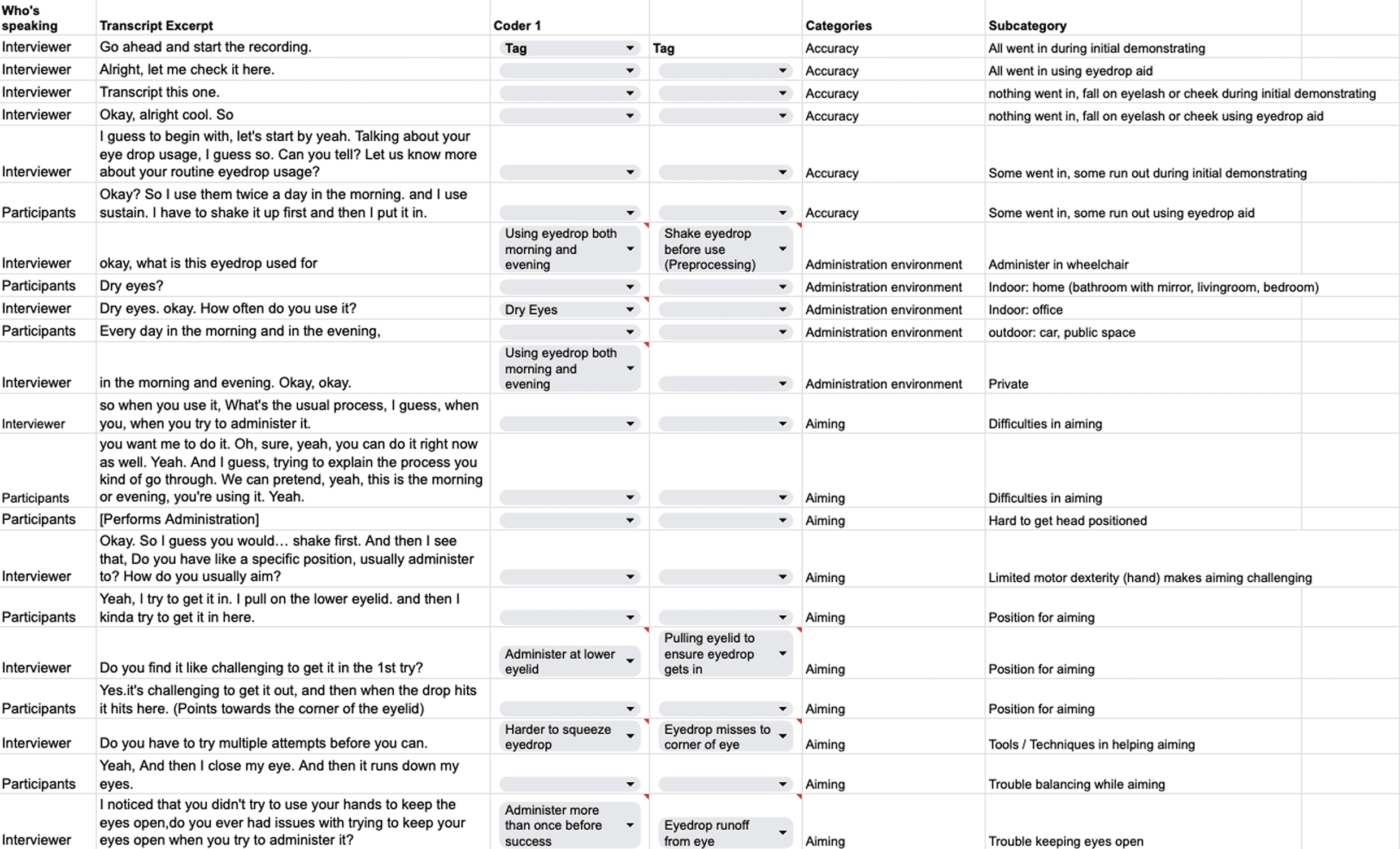
Left: coded interview transcripts — tagging aiming difficulty, motor dexterity, administration environment.
Right: observational sessions with users performing their actual routine.
Key Finding
01
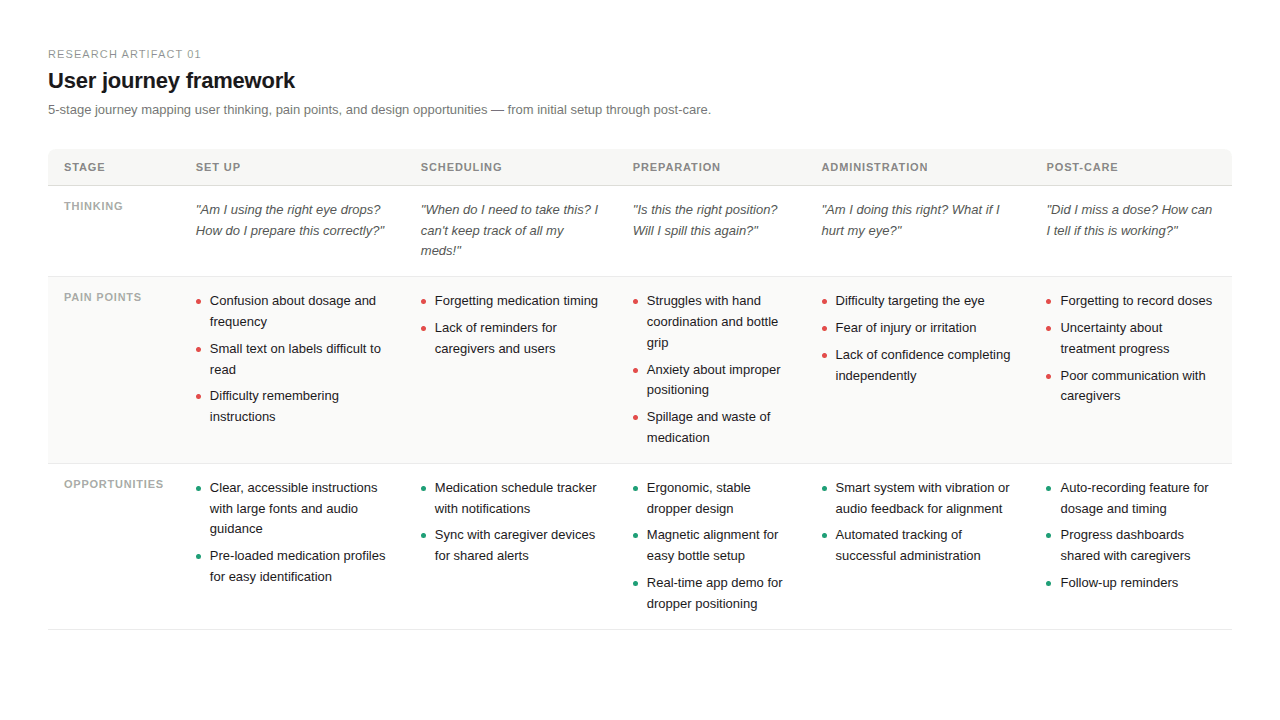
The task is multimodal — but the tools weren't.
During administration, users have their head tilted back, eye closed, hands occupied. They cannot rely on a visual interface at the moment that matters most. Voice and haptic feedback aren't accessibility features here — they're the only viable channel.
02
Physical form determined trust before any interaction began.
Users assessed the device by how it felt to hold: weight, grip diameter, and stability mattered more than any screen. A device that felt easy to hold meant a device that felt safe to use.
Design Direction
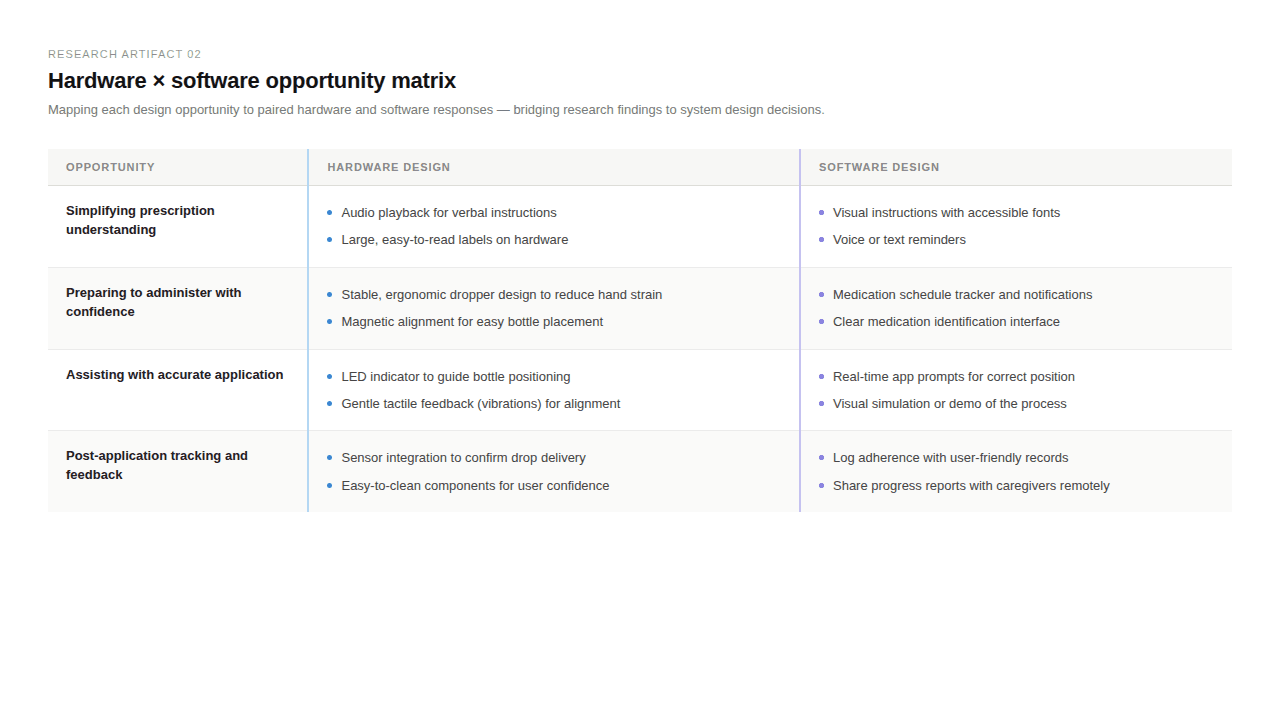
Research pushed us toward a counterintuitive principle: design for the moment when the screen doesn't matter. During drop administration, the user's eye is closed, their head is back, and their hands are occupied. Any interface that required visual attention at that moment was the wrong solution.
This reframed the entire interaction model. Voice guidance became the primary instruction channel. Haptic feedback became the confirmation signal. The app screen became a before-and-after tool — setup, history, caregiver updates — not a real-time interface.
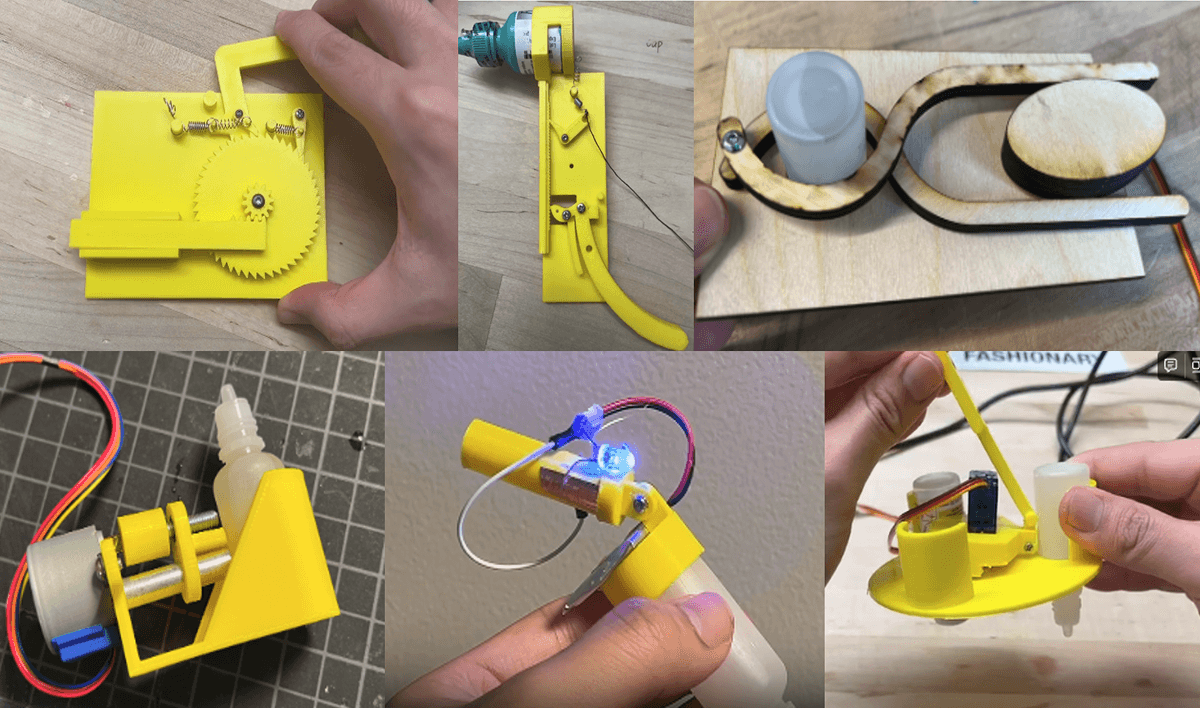
The hardware direction followed the same logic: thick enough to grip securely with reduced motor control, light enough not to fatigue an unsteady hand, with a single button that required no fine motor precision.
Hardware: The hand is primary.
Hardware Design
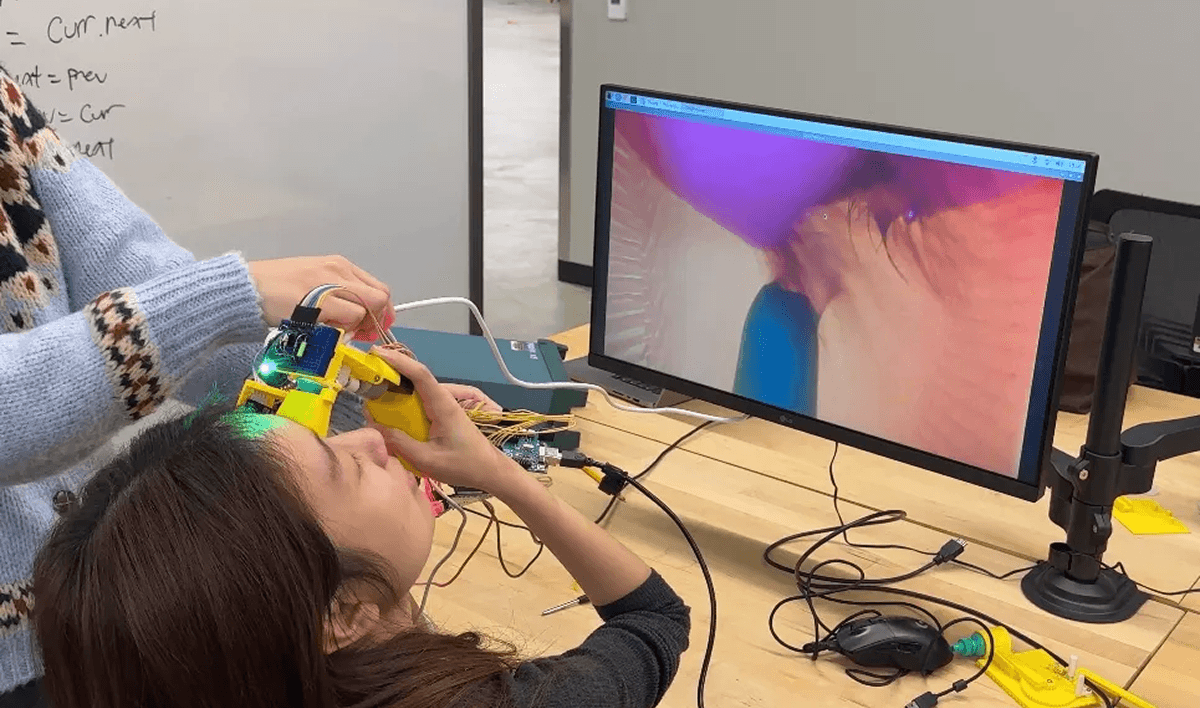
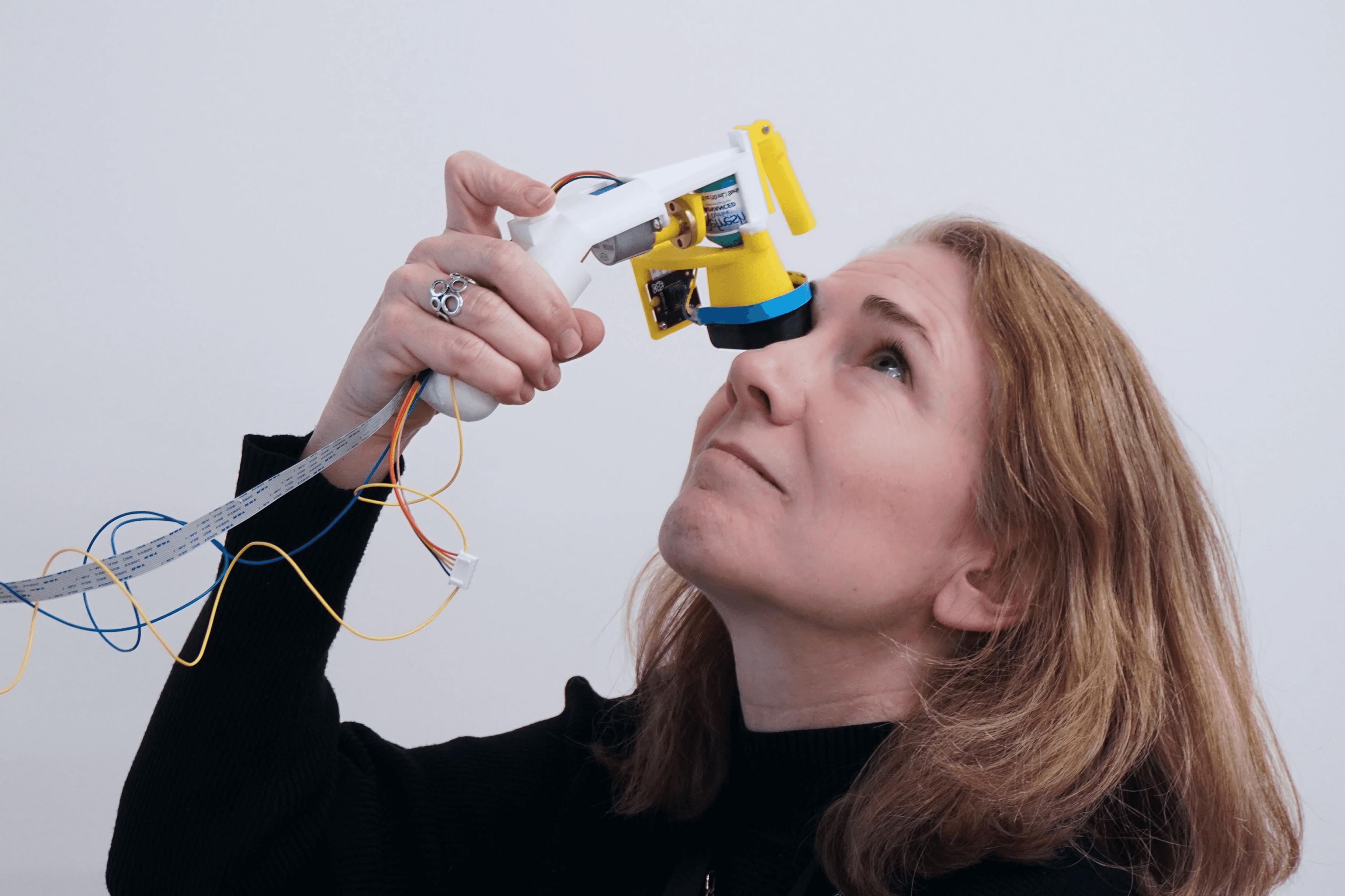
The handheld device auto-dispenses a single drop on button press. A camera-sensor array detects whether the drop was successfully delivered and sends the result to the app in real time. The grip was sized and weighted based directly on what users told us made them feel steady — not what looked elegant in a render.
Software: The interface is secondary.
Software Design
The app guides users step-by-step—starting from pairing the device, to scanning their medication (no typing needed), to setting reminders. During use, voice instructions walk them through the process:
Onboarding — device pairing and medication setup via barcode scan. No typing. Large targets, voice confirmation at each step.
Guided delivery — voice-led step by step, timed to physical action. The screen shows state, but the interaction doesn't require looking at it.
Confirmation + retry — sensor result shown after delivery. If the drop didn't register, a calm retry prompt guides re-positioning. No error language, no alarm.
Caregiver view — usage history and refill alerts for family members designated as secondary stakeholders. Designed to be checked, not monitored — passive awareness, not real-time oversight.
User main flow and interface MVP
What comes next
"This would actually solve my problem. Are you planning to sell it? How much would it cost?"
— usability testing participant
Next Steps
SmartDrop is a working MVP. The core concept proved out — 15 usability sessions, positive signal, and users already asking about pricing. What's left is the gap between lab and market: industrial design, cost structure that doesn't price out the people who need it most, and clinical validation for a device that touches the eye.
The bigger opportunity is what it points to. For older adults, losing the ability to self-administer medication means depending on someone else for something that happens twice a day, every day. Assistive technology that actually works gives that back — not as a workaround, but as a baseline.
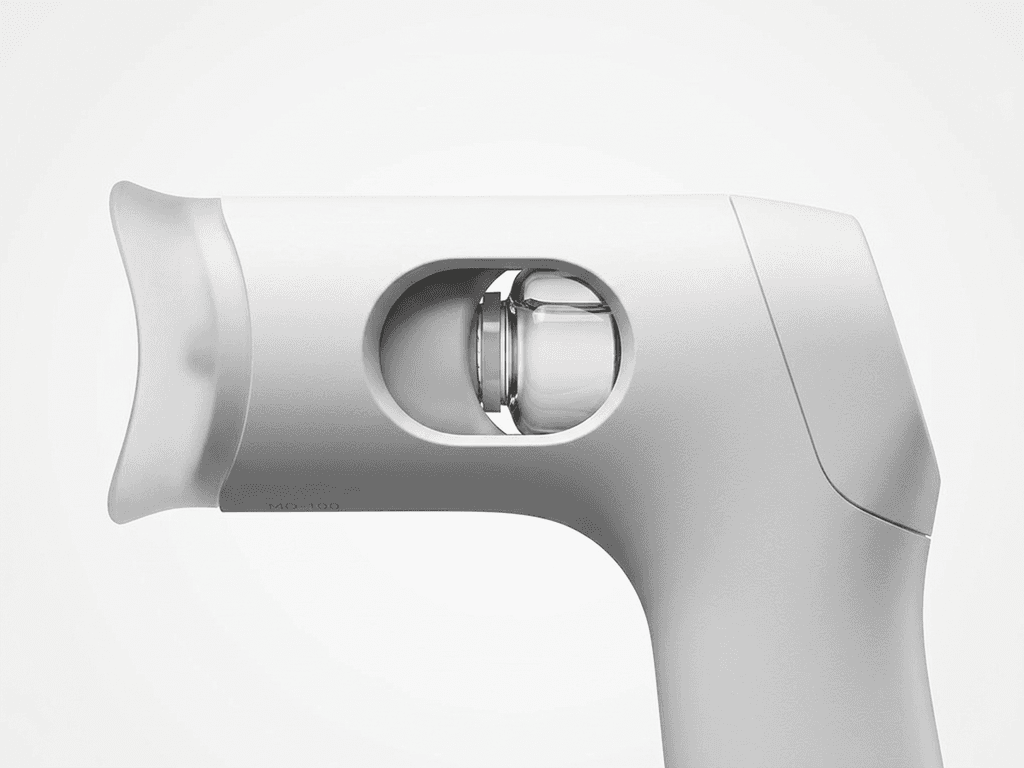
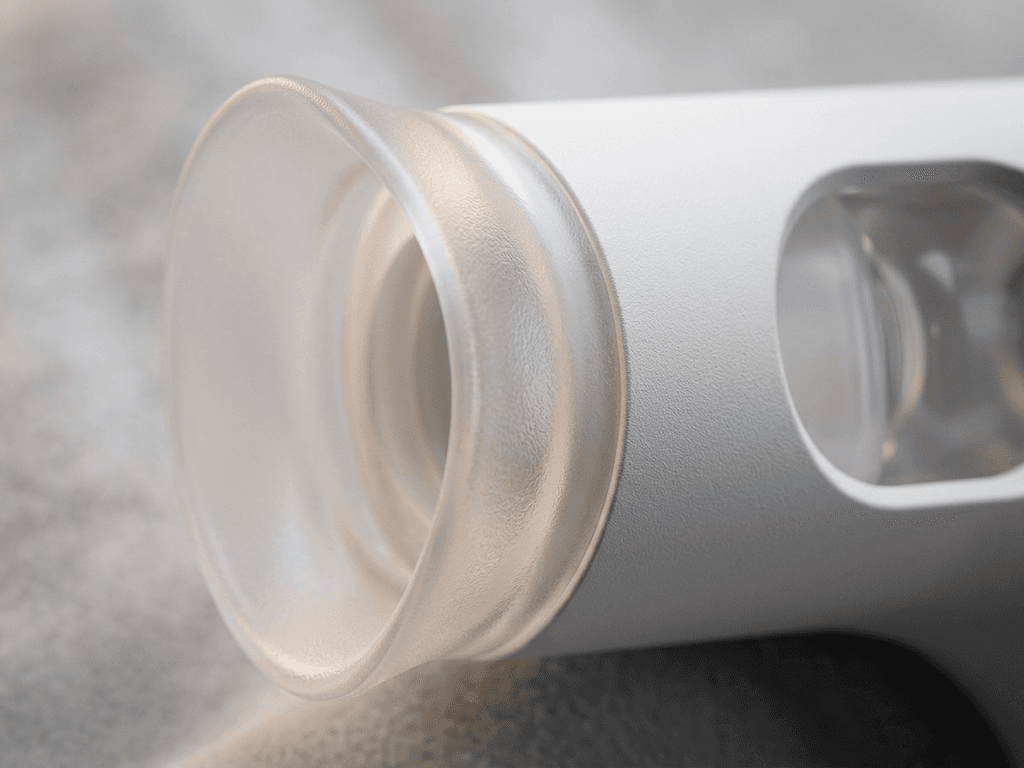
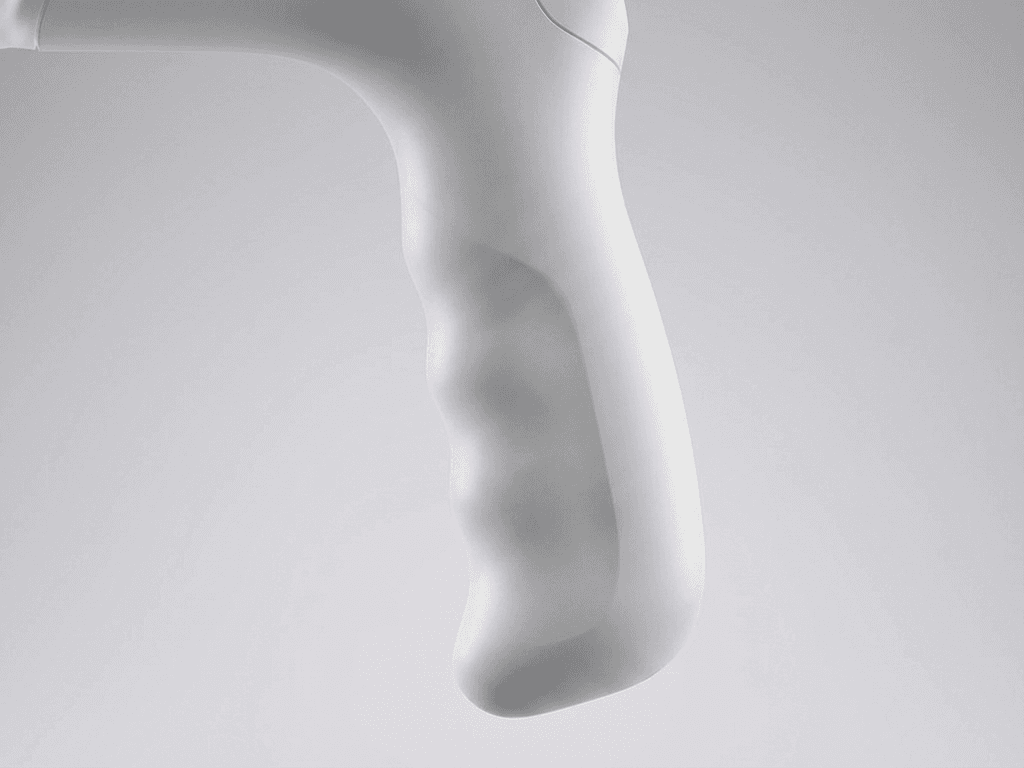
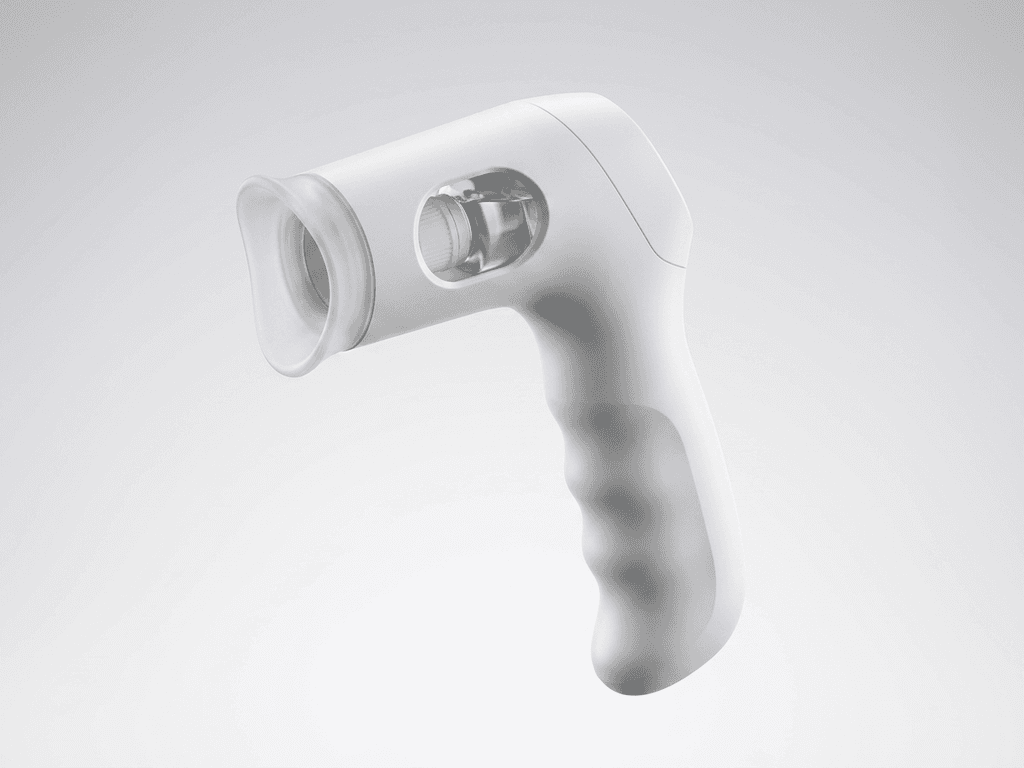
Rendering images for final product and estimate the cost from the industrial design
Zooming Out
What I actually learned
This was the first time I had to translate an AI capability into a user experience — not "what can the model do," but what does real-time detection mean for someone with shaky hands at 7am. That translation is where the design work actually lived.
Going 0 to 1 in six months with hardware constraints meant every interaction decision had a technical ceiling. The thing I'll carry forward: designing for the hardest case produces better design for everyone. Voice-first, haptic confirmation, no fine motor required — those weren't accommodations. They were the product.
