Midea's after-sales platform supports 37,000+ stores and 100M service jobs a year. I led the redesign of its core workflows — making critical tasks 20% faster and raising satisfaction from 2.7 to 4.1.
The problem wasn't the interface.
Context
Every month, over 37,000 stores across China handle after-sales service requests — dispatching engineers, managing spare parts, tracking completions, fielding complaints. The system at the center of all of this, Midea Group's Customer Service System, had been running for 13 years.
Thirteen years is long enough to accumulate every bad habit an enterprise platform can develop. Modules got bolted on whenever a new business need appeared. Data lived in isolated silos. Navigation grew longer and slower with every update.
By the time I joined, the damage was visible in the numbers: a 2.7/5 satisfaction score from over 3,000 frontline staff. More telling? 72% of complaints weren't about bugs or crashes. They were about complexity — the daily friction of a system that made hard jobs even harder.
Previous redesign attempts had failed. Not because the teams weren't capable, but because they started with the interface instead of the work.
Dashboard
200 M
Faster core workflows
Dashboard
37,000
Stores
Dashboard
72%
Faster core workflows
Dashboard
2.7/5
from 3000+ responds
Research
The first thing I noticed when I looked at usage data was that people weren't using the system the way it was designed. They skipped the homepage. They stayed locked in list views, constantly refreshing and filtering. They barely touched the dashboard.
That's a signal. People don't work around a system unless the system is working against them. So we went to find out why.
System Roles and their daily workflow
We visited 24 outlets across the country and interviewed dispatchers, spare-parts clerks, auditors, field engineers, and team coordinators. What we found shifted everything.
What we found wasn't just frustration — it was adaptation. Every outlet had built a parallel system: a self-managed spreadsheet that replicated work order data, a WeChat group for dispatching engineers, a notebook for logging real phone numbers the system had hidden behind virtual proxies. One dispatcher kept four browser tabs open simultaneously — each filtered to a different order status — just to maintain visibility across her queue.
The system wasn't being used. It was being worked around — and the workarounds had become the actual workflow.
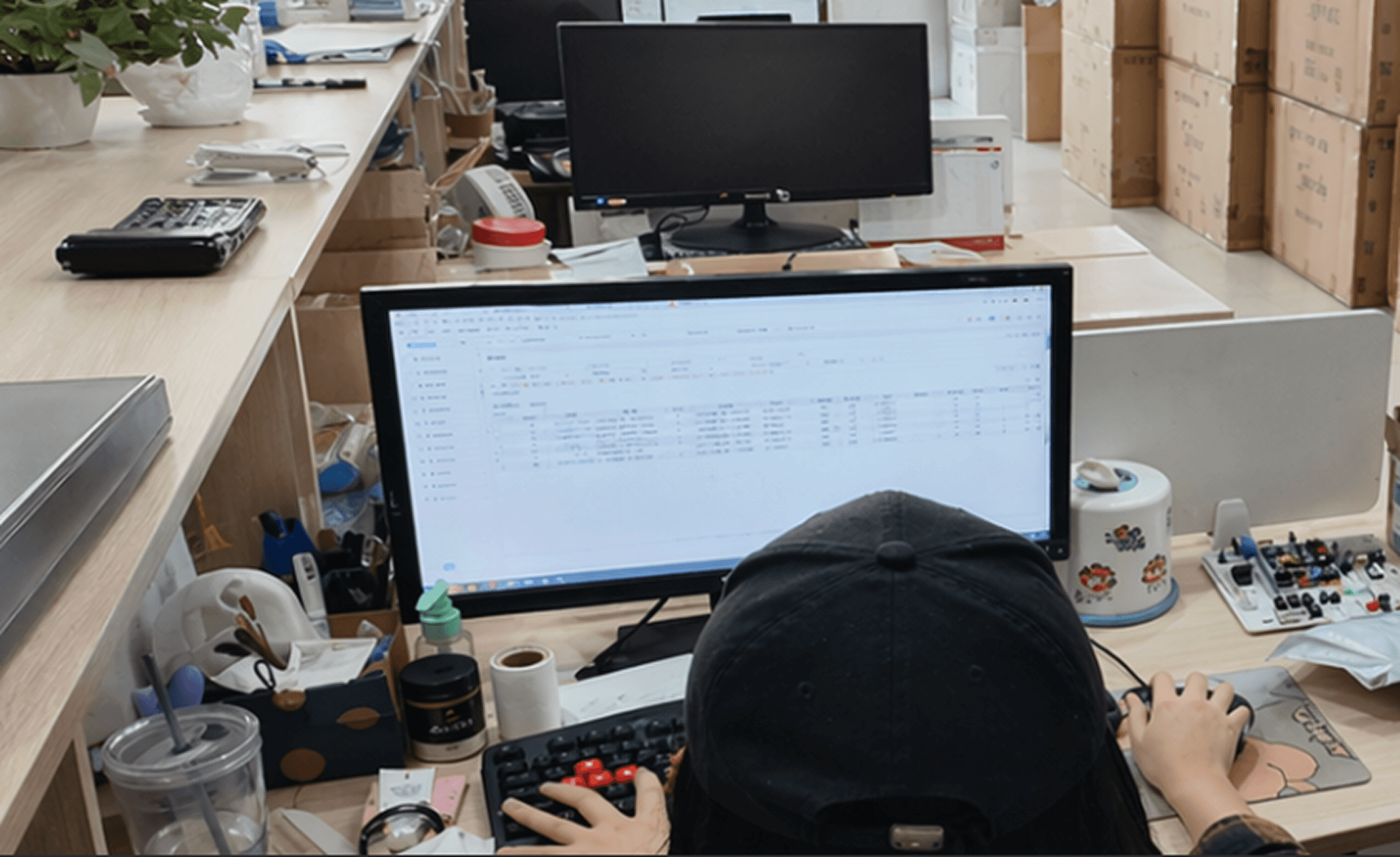
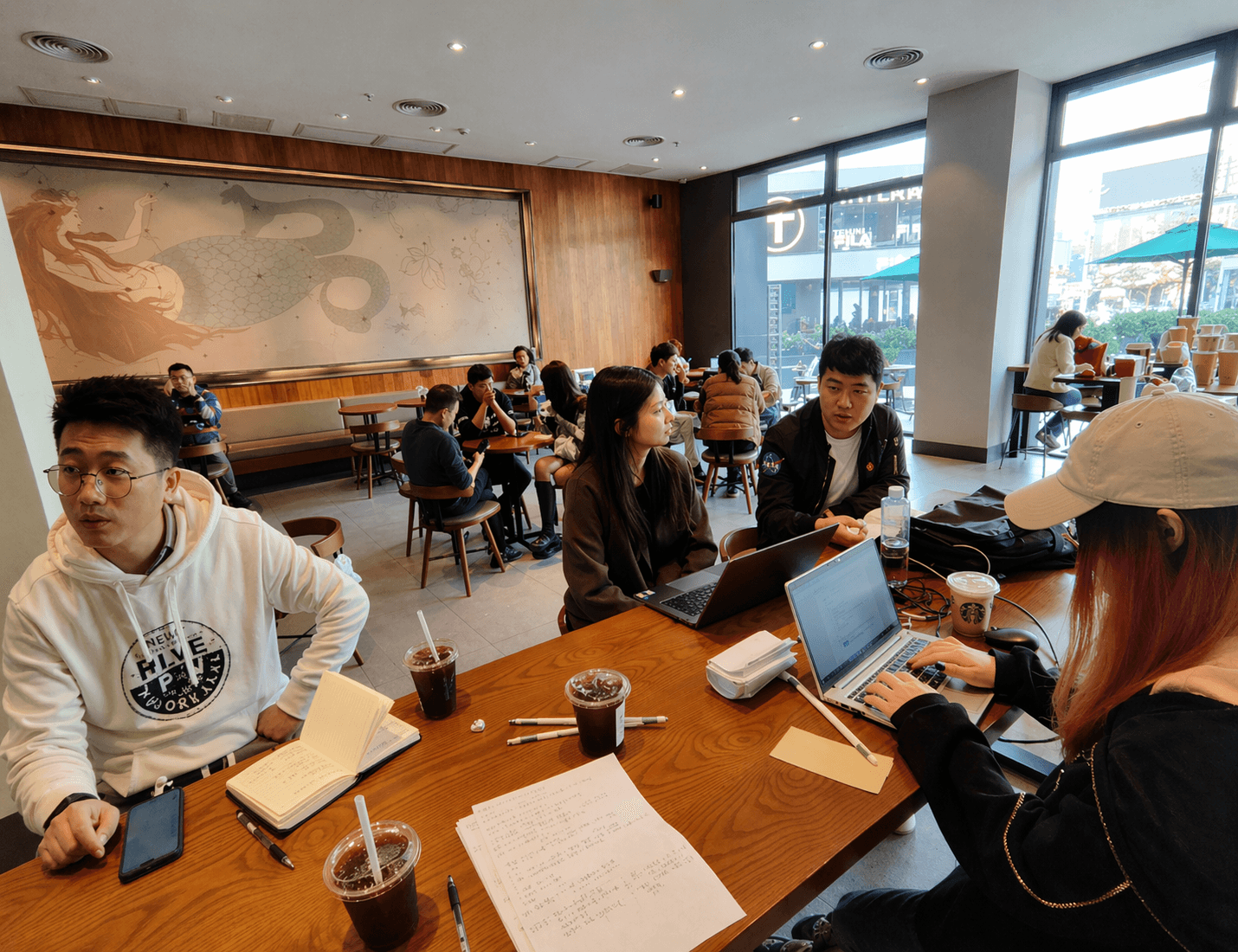
Conducting situational interviews, organizing the records, and summarizing and presenting the results at the workshop.
Key Finding
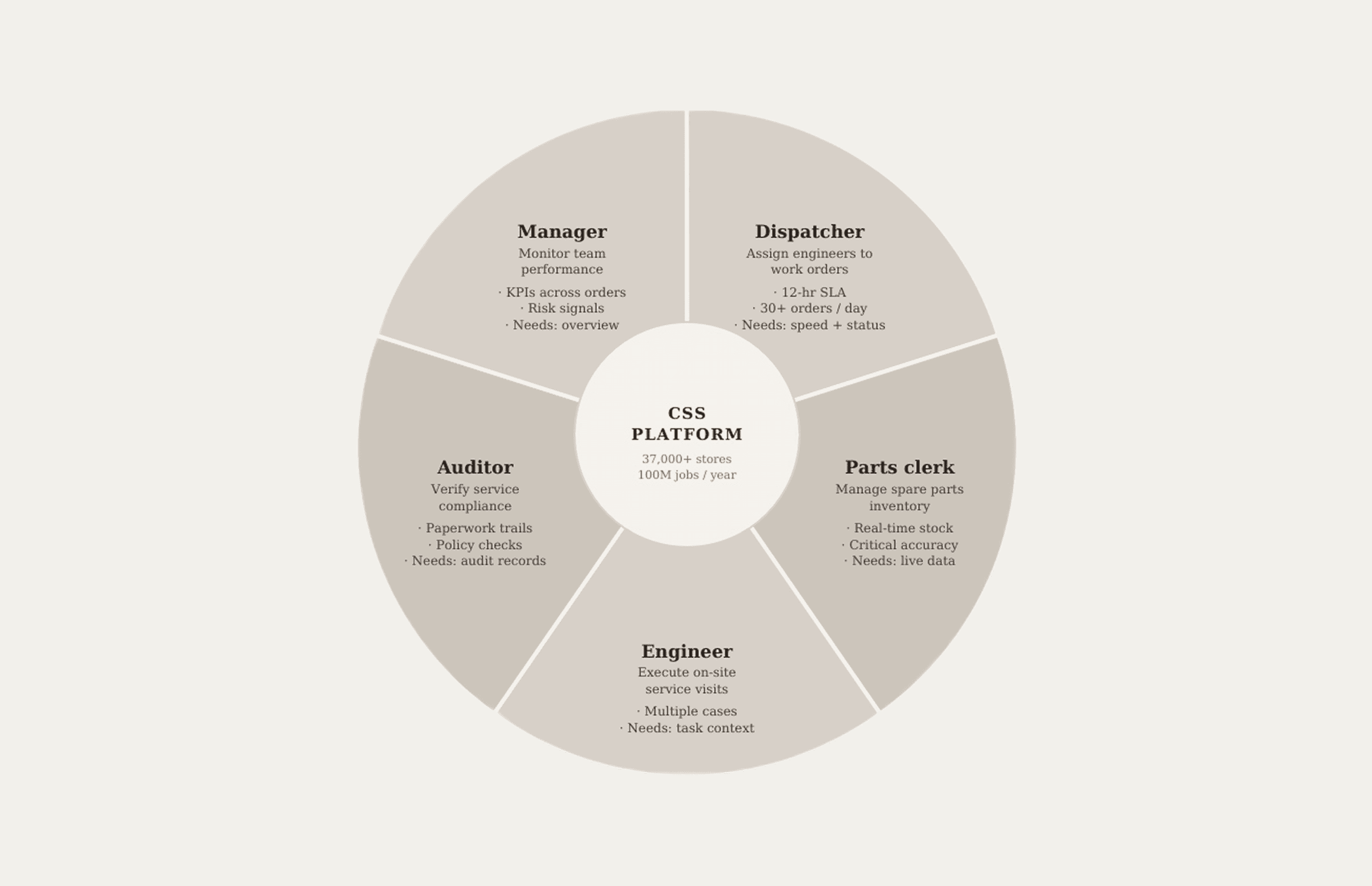
What looked like "one user group" was actually a dozen distinct roles — each with different information needs, different definitions of urgency, and different workflows.
Dispatchers were racing 12-hour SLA deadlines, monitoring 30+ orders simultaneously. They needed fast access and one-click status changes — not dashboards. Parts clerks lived and died by real-time inventory — one mismatch stalled an entire repair. Auditors cared about compliance trails and paperwork chains, not order status. Engineers juggled multiple active cases with incomplete information, relying on coordinators to relay updates through WeChat because the system didn't support their actual communication pattern.
The system treated all of them the same rigid linear flow. So everyone built their own workarounds. People weren't using the system. They were patching around it.
System Roles and their daily workflow
Three risks that could
have derailed everything.
Challenge & Strategy
Redesigning a system that processes 100 million service jobs a year isn't a UI project. It's infrastructure reform. Early on, I mapped three challenges that would determine whether we succeeded or stalled.
01
Getting alignment without slowing down.
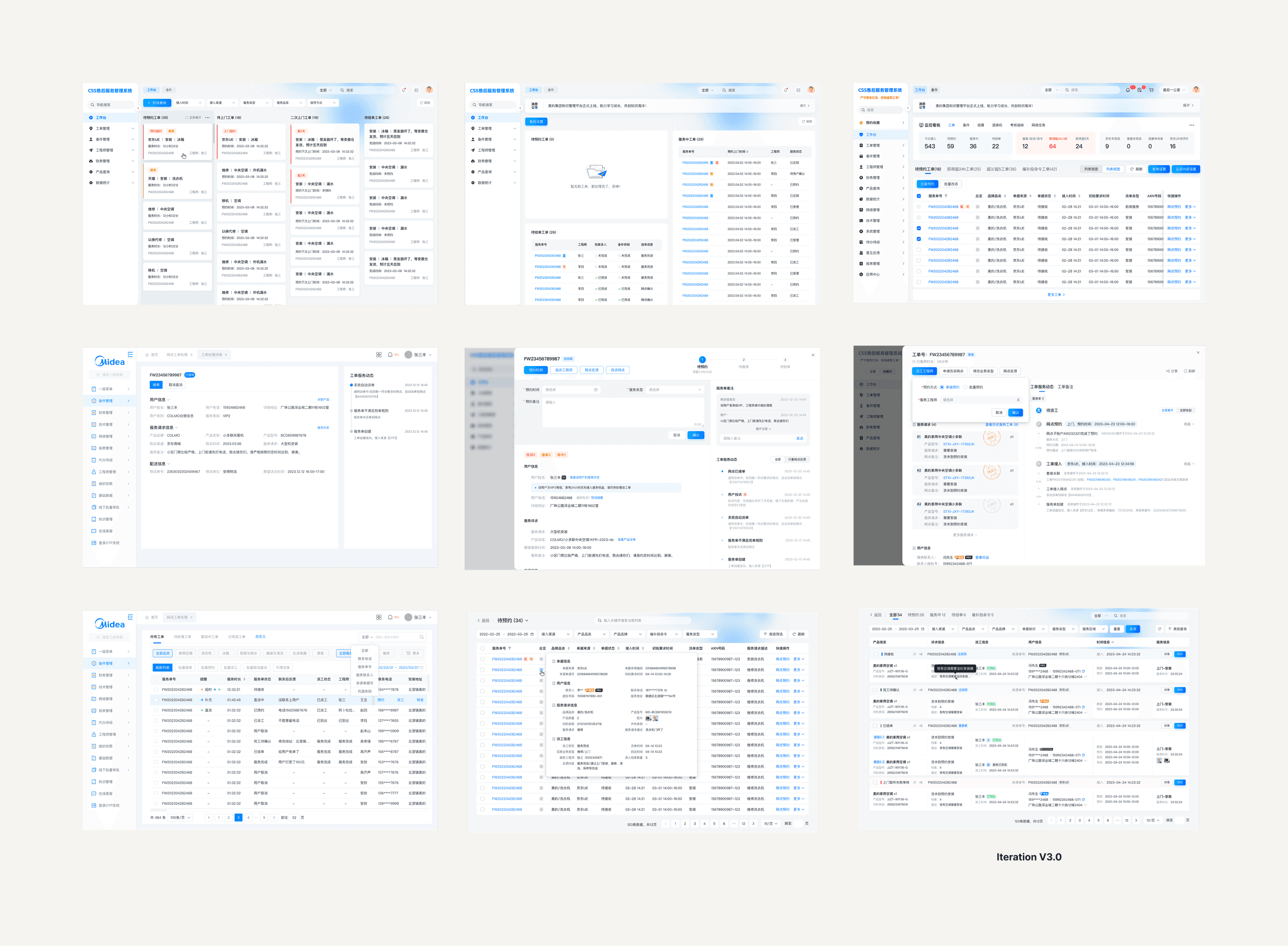
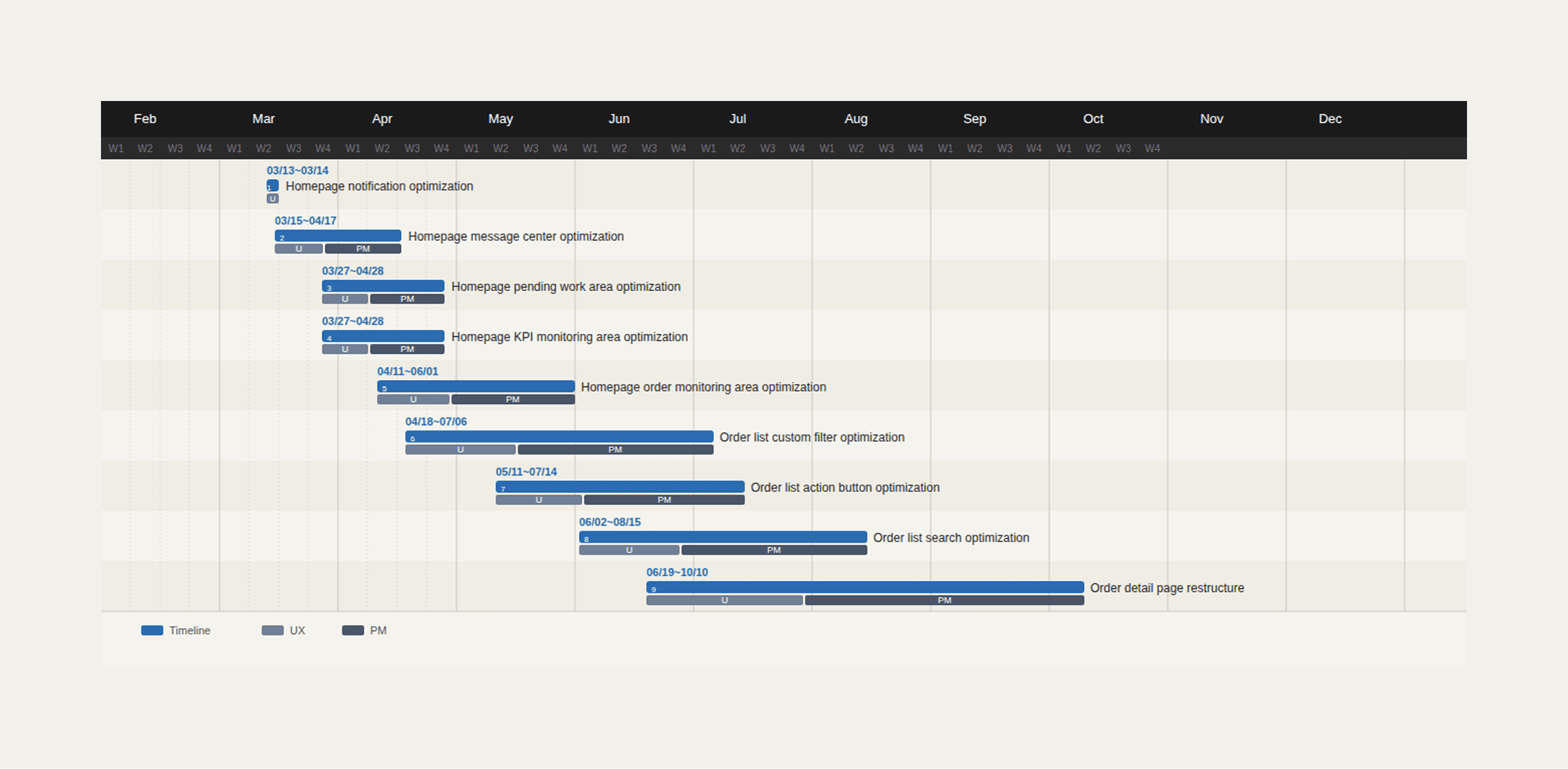
With 12 PMs and 6 business departments involved, alignment meetings could easily become a bottleneck. I built six rapid prototypes — from conservative tweaks to radical shifts — and ran co-creation workshops rather than review sessions. The goal wasn't to get sign-off. It was to find the edges: technical constraints, business non-negotiables, and tolerance for change. Those workshops gave us a shared map.
02
Shipping change without causing collapse.
We adopted incremental rollout — not as a compromise, but as a deliberate risk management strategy. New flows ran as shadow modules in parallel with the existing system, with instant rollback available. Changes shipped in small, testable slices before wider deployment. This turned "change" from something scary into something controlled and reversible.
03
Designing for cases we couldn't see yet.
Live data kept revealing things we hadn't anticipated — combined orders, maintenance edge cases, mid-flow logistics exceptions. Rather than patching, I worked with the business team to map 100+ process variations and distill them into 12 modular process nodes. The architecture could handle daily work simply, expand for edge cases, and grow with future needs.
The design framework:
Glance, Dive, Focus.
Design Framework
After research, I needed a mental model that could hold the complexity together — something the team could use to evaluate every design decision. I landed on three modes of work that described how frontline staff actually operated.
This wasn't just a UX framework. It became the backbone for every feature decision we made.
Dashboard
01 Glance
Orient fast. All roles know what matters right now.
List View
02 Dive
Stay in context. Handle multiple threads without losing your place.
Detail View
03 Focus
Act with confidence. Know exactly what to do next.
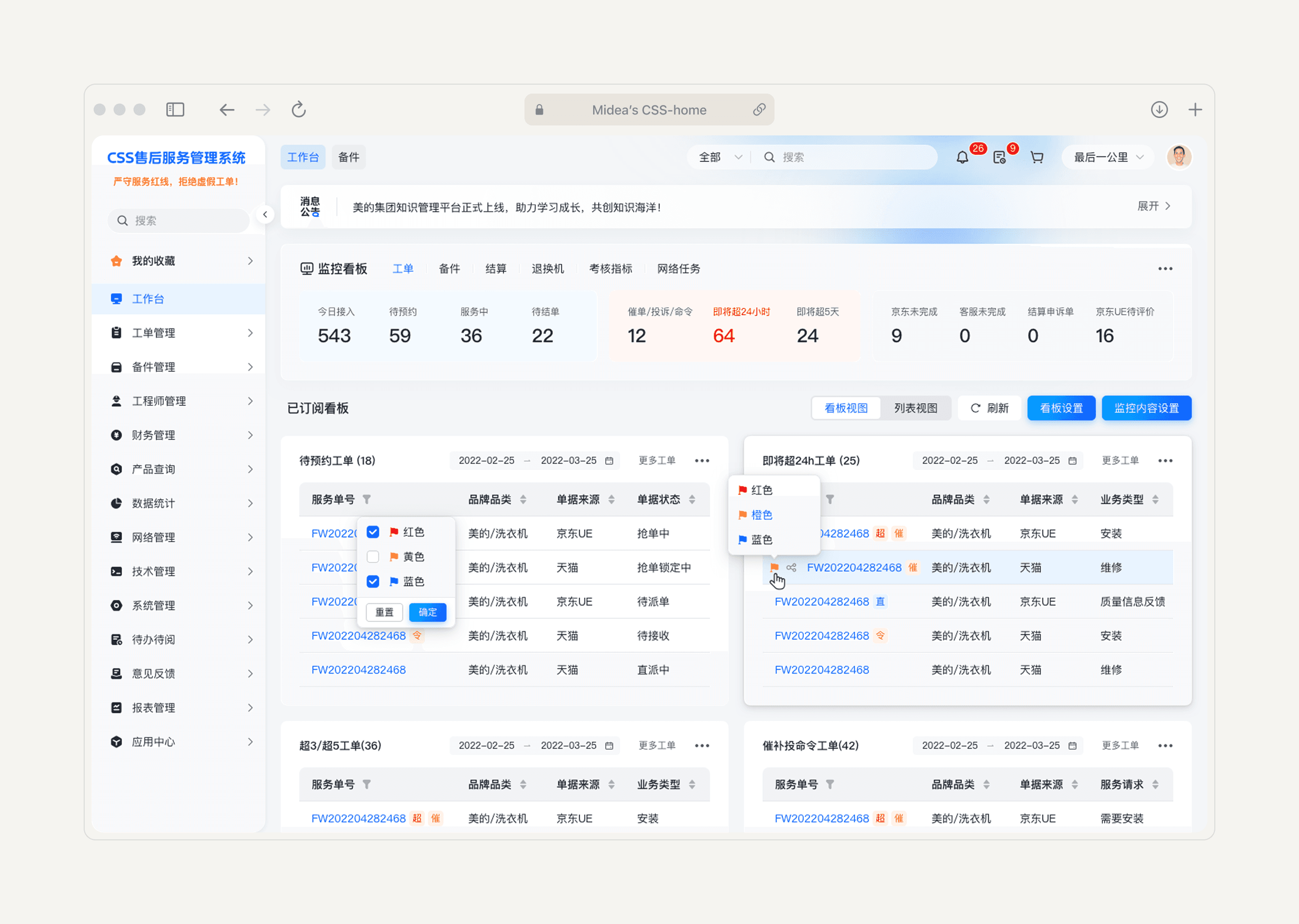
Glance: a dashboard that actually helps.
Dashboard
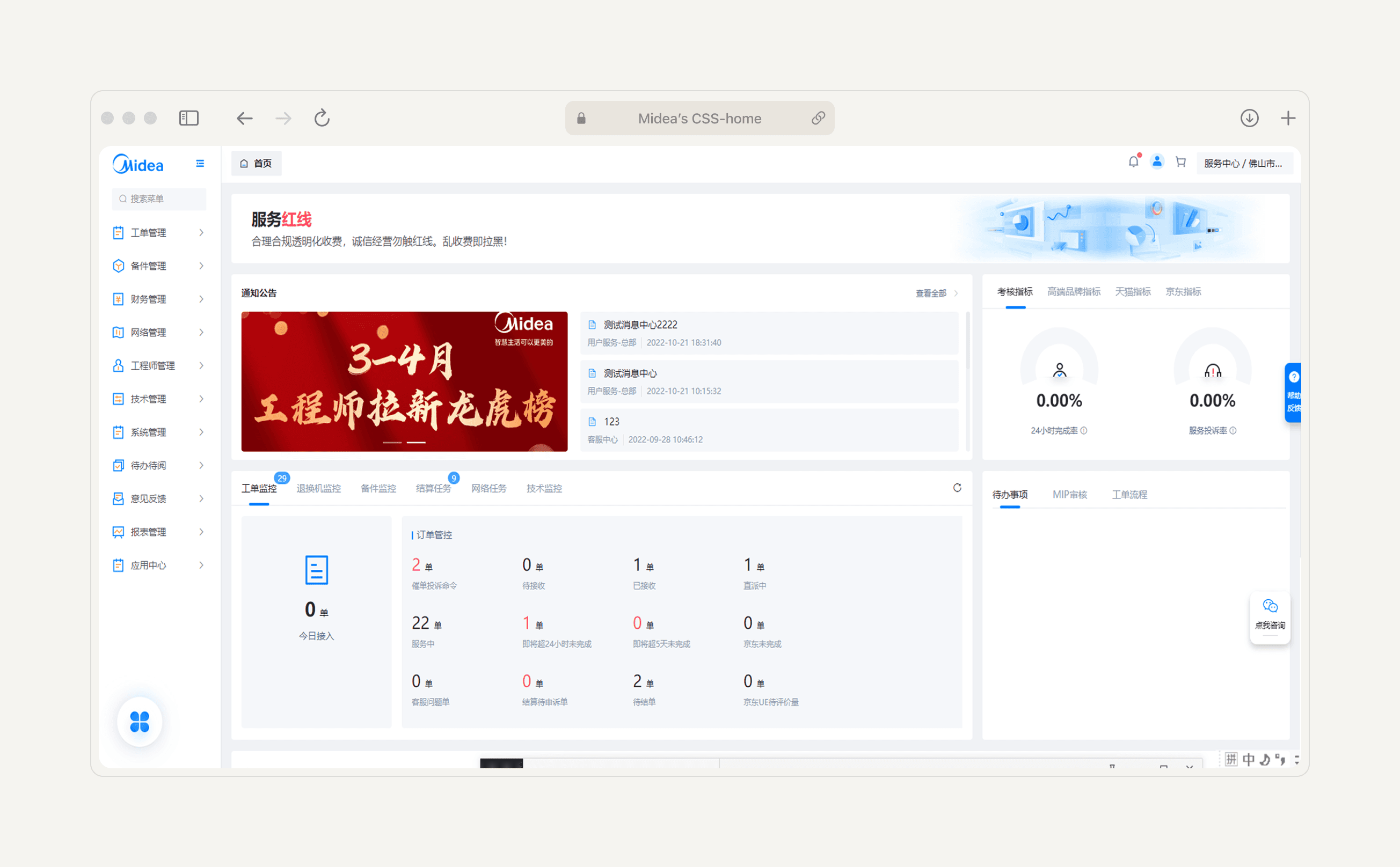
The notification center had no "mark all as read." Every alert — urgent SLA breach, routine status update, system announcement — arrived in the same stream with the same visual weight. Staff told us they'd stopped checking it. The homepage data panel couldn't be filtered by role, category, or order type, so the one place designed to give people an overview was useless to everyone who needed a specific view.
We rebuilt the dashboard around one question: what does this specific person need to see in the first 10 seconds? Dispatchers got deadline-critical orders with risk flags front and center. Managers got KPI summaries and team-wide risk signals. Clerks got inventory alerts.
We also built a centralized notification hub organized into three tiers: routine updates, attention-needed items, and must-act-now flags. Previously, critical alerts were buried in the same stream as low-priority updates. Now, high-stakes signals couldn't be missed.
Dive: lists that let you think.
List view
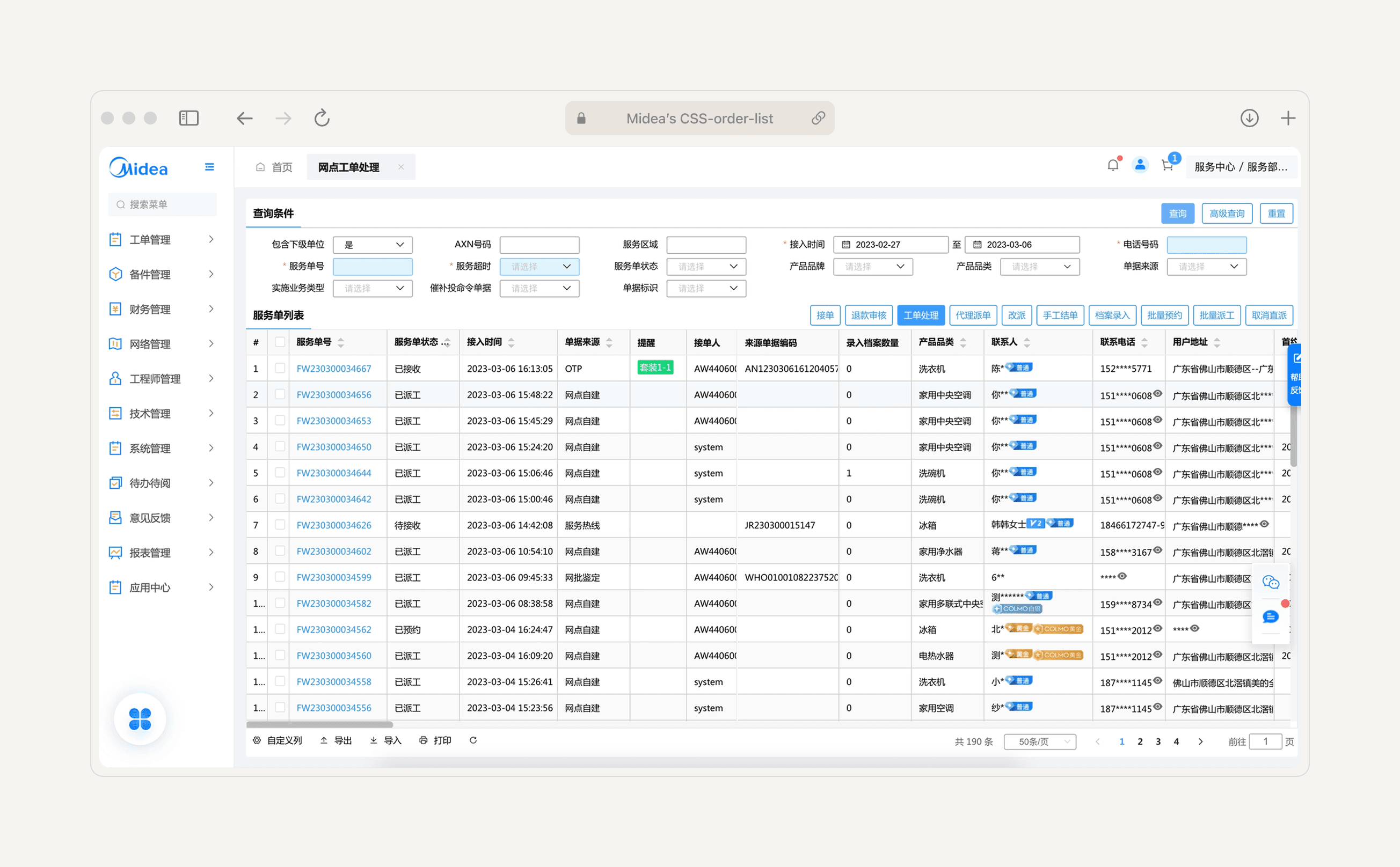
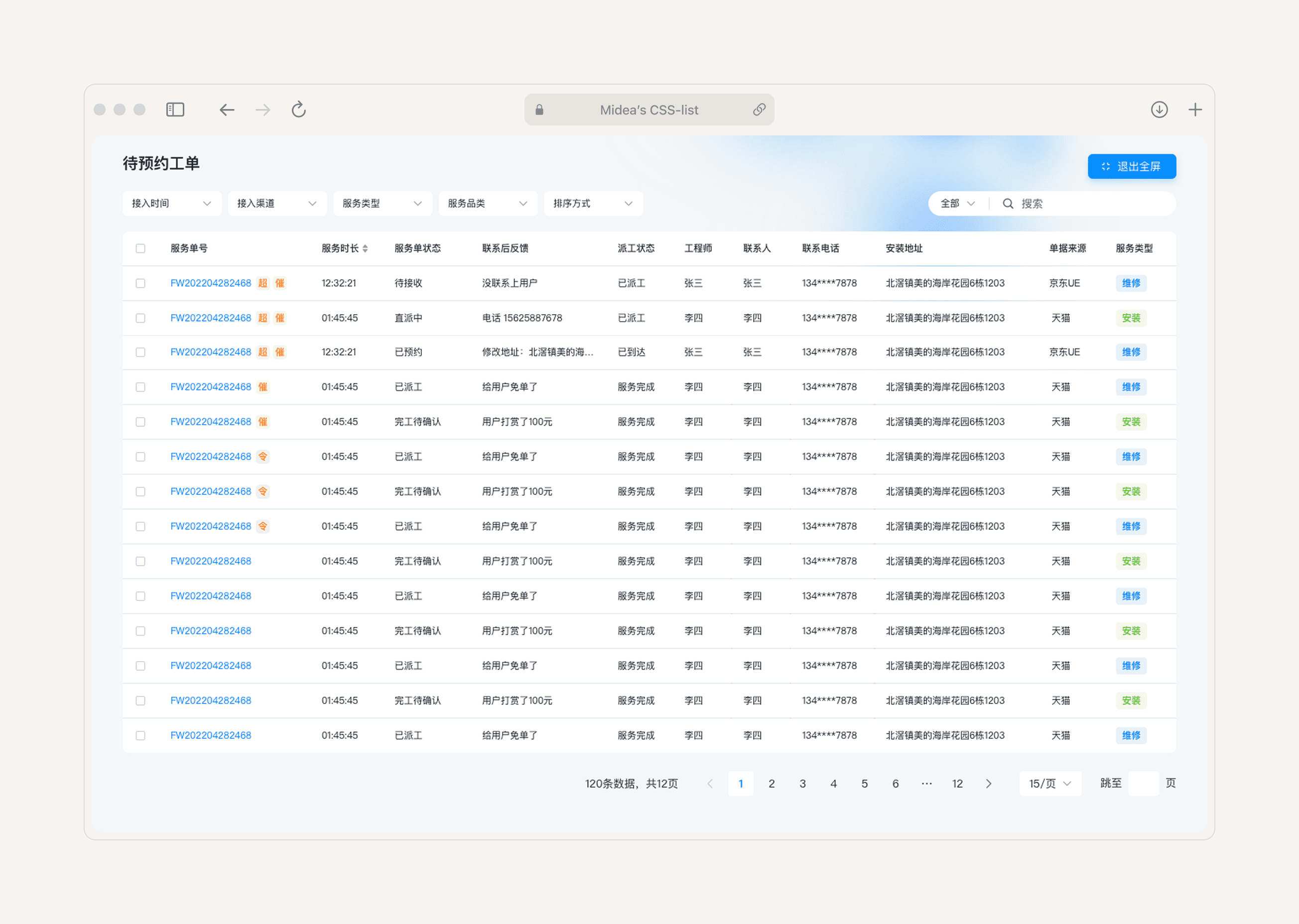
One dispatcher kept four browser tabs open simultaneously — each filtered to a different order status — just to maintain visibility across her queue. Horizontal scrolling meant critical fields were always one drag away. The system's architecture assumed one thread of attention. The job required twelve.
The old list was a filtering treadmill: constant adjustments, refresh cycles, no grouping, no risk signals. When staff tried to customize column order to surface what mattered, a shared login meant one person's changes broke everyone else's view.
The redesign was built around multi-thread monitoring — the actual mental model of dispatchers and coordinators. Orders are now grouped by relationship and relevance. Inline risk tags surface anomalies within the flow rather than requiring a separate check. Quick-action buttons appear contextually based on order status.
We also reduced the default filter set based on usage data — showing only what people actually used, with an option to customize further. This alone cut decision overhead significantly.
Focus: detail pages that
guide instead of overwhelm.
List view
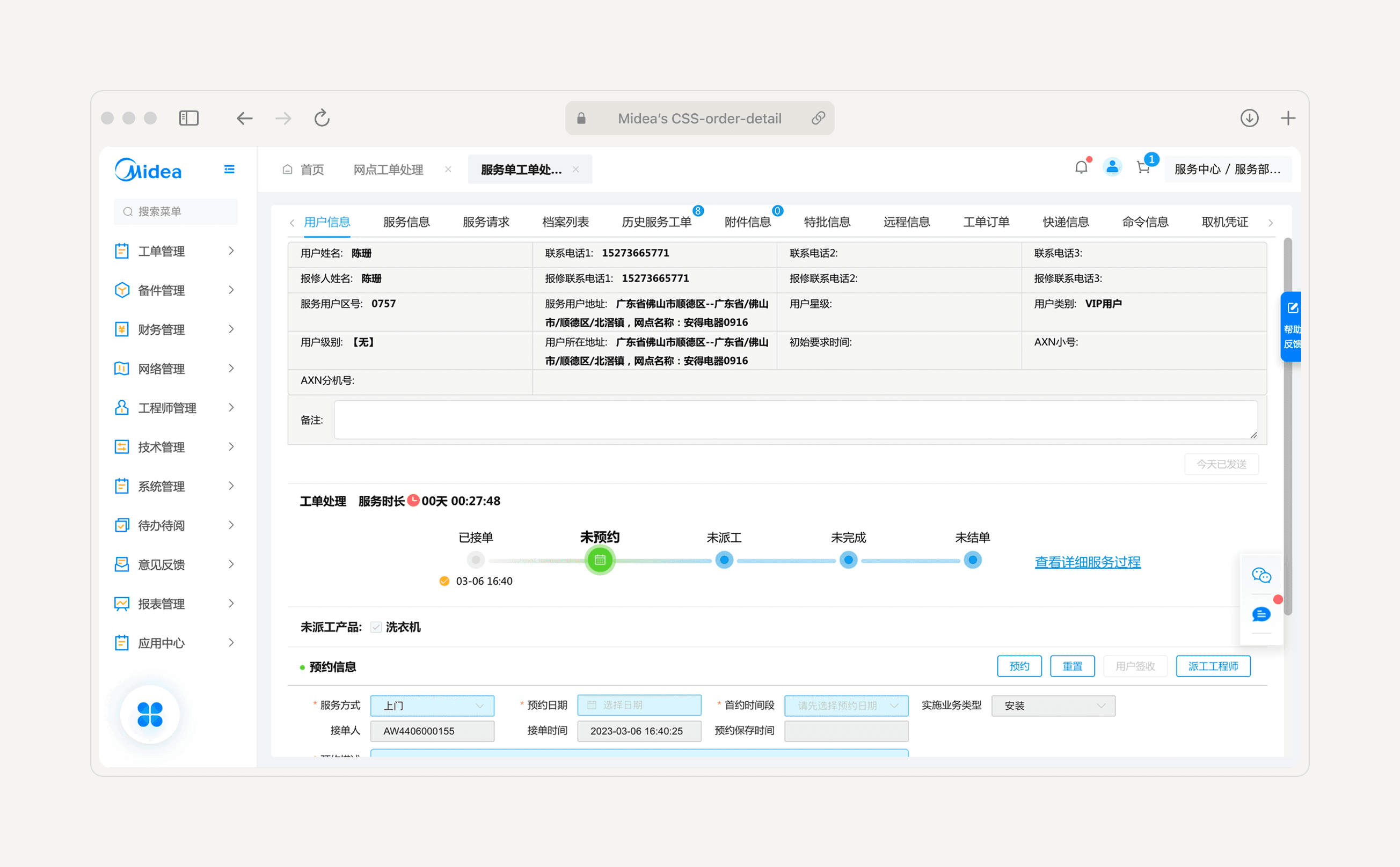
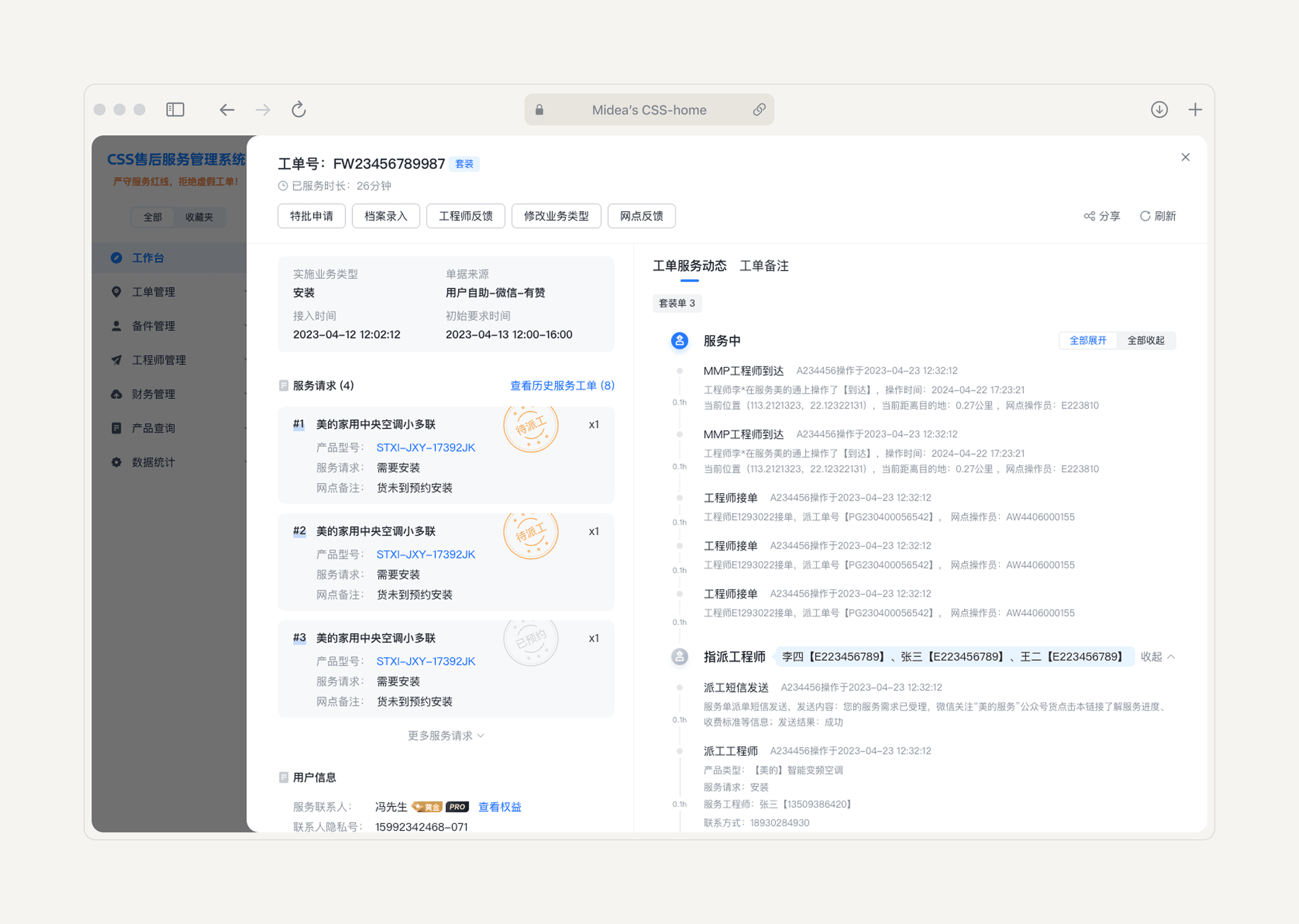
The key action — scheduling an engineer — wasn't visible on the first screen. Users had to scroll past a wall of tabs and fields before they could do the one thing they came to do. When we interviewed staff, they named the same two tabs out of fourteen they actually used: service request and service history. The rest was noise.
The detail page had 180+ fields with no hierarchy and no guidance on what mattered at any given stage of a service order.
The redesign introduced a three-layer structure:
Layer 1 — Primary action. What you must do right now, always visible at the top.
Layer 2 — Dependencies and context. The information needed to make that decision.
Layer 3 — Supporting details. Collapsed by default, expandable when needed.
Static information — customer profile, product details — went to the left. Dynamic, stage-specific content went to the right, so users could see what was relevant to this moment without wading through everything else. For high-stakes actions that could breach SLAs, confirmation prompts appeared directly at the point of action.
The result: 92% fewer visible fields — without removing any data. Everything is still there. It just appears when it's needed.
What shipped,
and what it proved.
Impact
The rollout began with a gray-release pilot. Frontline staff tested the new system alongside the old one.
Core workflow speed
+20%
Faster
User satisfaction score (out of 5)
2.0 - 4.1
From 5,000 users
Internal support queries
−30%
Decrease
Dashboard
+20%
Faster core workflows
"The new system looks great and makes my job much easier. I no longer need to keep adjusting filters."
Chen Xiaochu — Dispatcher, 13 years experience
""Every screen clearly tells me what I need to do. My productivity doubled."
He Lu — Service coordinator, 1.5 years experience
Beyond CSS
The design system built for this project — the modular components, the information hierarchy patterns, the risk-flagging architecture — was adopted by three other internal platforms at Midea, covering supply chain, sales, and HR.
What started as a service platform redesign became the foundation for how Midea builds internal tools.
Zooming Out
What I actually learned
01
User research isn't about finding problems. It's about finding the right problems.
With 12 PMs and 6 business departments involved, alignment meetings could easily become a bottleneck. I built six rapid prototypes — from conservative tweaks to radical shifts — and ran co-creation workshops rather than review sessions. The goal wasn't to get sign-off. It was to find the edges: technical constraints, business non-negotiables, and tolerance for change. Those workshops gave us a shared map.
02
In complex organizations, design is a negotiation.
Every decision I made touched multiple stakeholders with legitimate, sometimes conflicting, concerns. The co-creation workshops, the incremental rollout, the shadow modules — these weren't just UX tactics. They were ways to build trust while shipping real change.
03
Systems thinking is the only way to do systems work.
The 12 modular process nodes, the three-layer detail architecture, the Glance/Dive/Focus framework — none of these were invented for a single screen. They were built to scale. That's why the design didn't stop at customer service.